Side-by-Side Lists & Tasks
On the open display, the adaptive workspace gives your lists and tasks room side by side. Move between a personal checklist and a work project while keeping the wider structure in view.
An adaptive iPhone Duo task manager. Keep lists, tasks, and their details together when you open your phone.
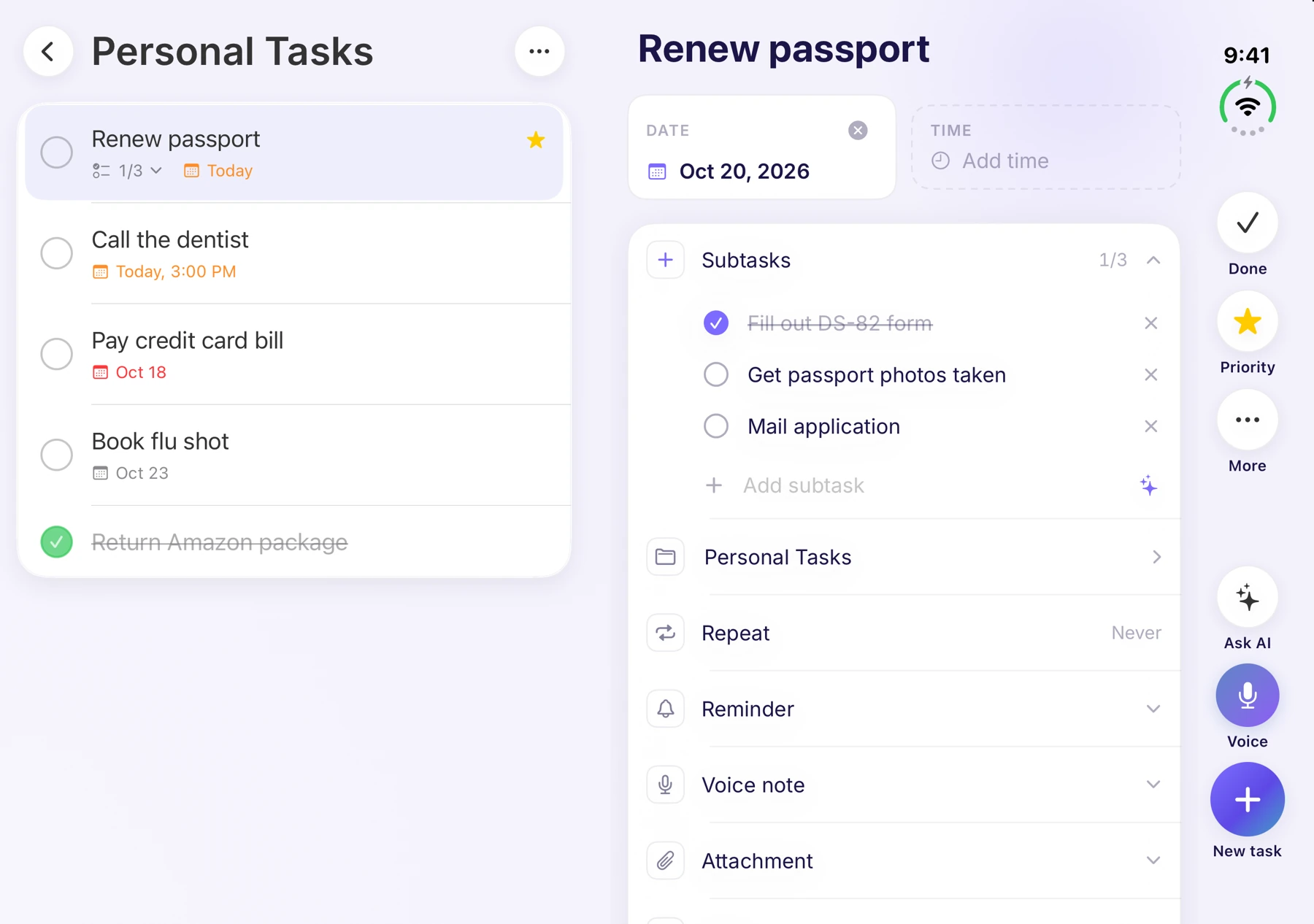
The actual iPhone Duo interface, shown with illustrative task content.
A foldable display is useful when the app makes good use of it.
On the open display, the adaptive workspace gives your lists and tasks room side by side. Move between a personal checklist and a work project while keeping the wider structure in view.
View a task’s details beside its list. Subtasks, notes, and dates are easier to work with when you can see where that task belongs.
The interface adapts as you fold, rotate, or partly open the display. Return to a focused view for the moment you’re in, with your place preserved.
The Duo action bar brings together search, Ask AI, voice capture, and new tasks. Use smart lists to see Today, Priority, or Overdue, and switch to the calendar when you need a view of your schedule.
Smart Extract can turn text, photos, or voice into tasks you review. Lists and folders keep the result organized, and shared lists help you plan with other people.
Read the AI feature guide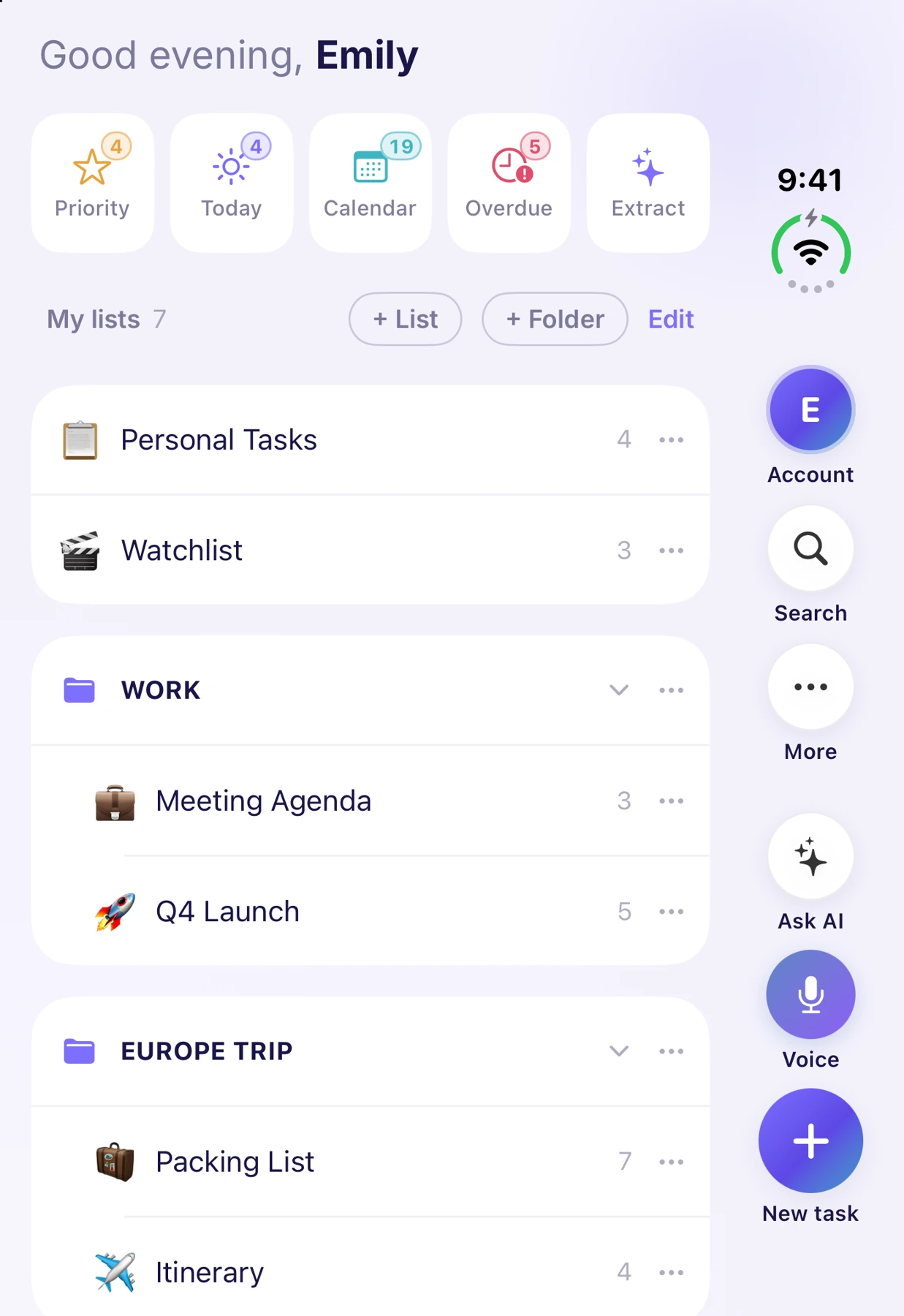
Calendar views and task lists belong to the same day. Give them room to work together.
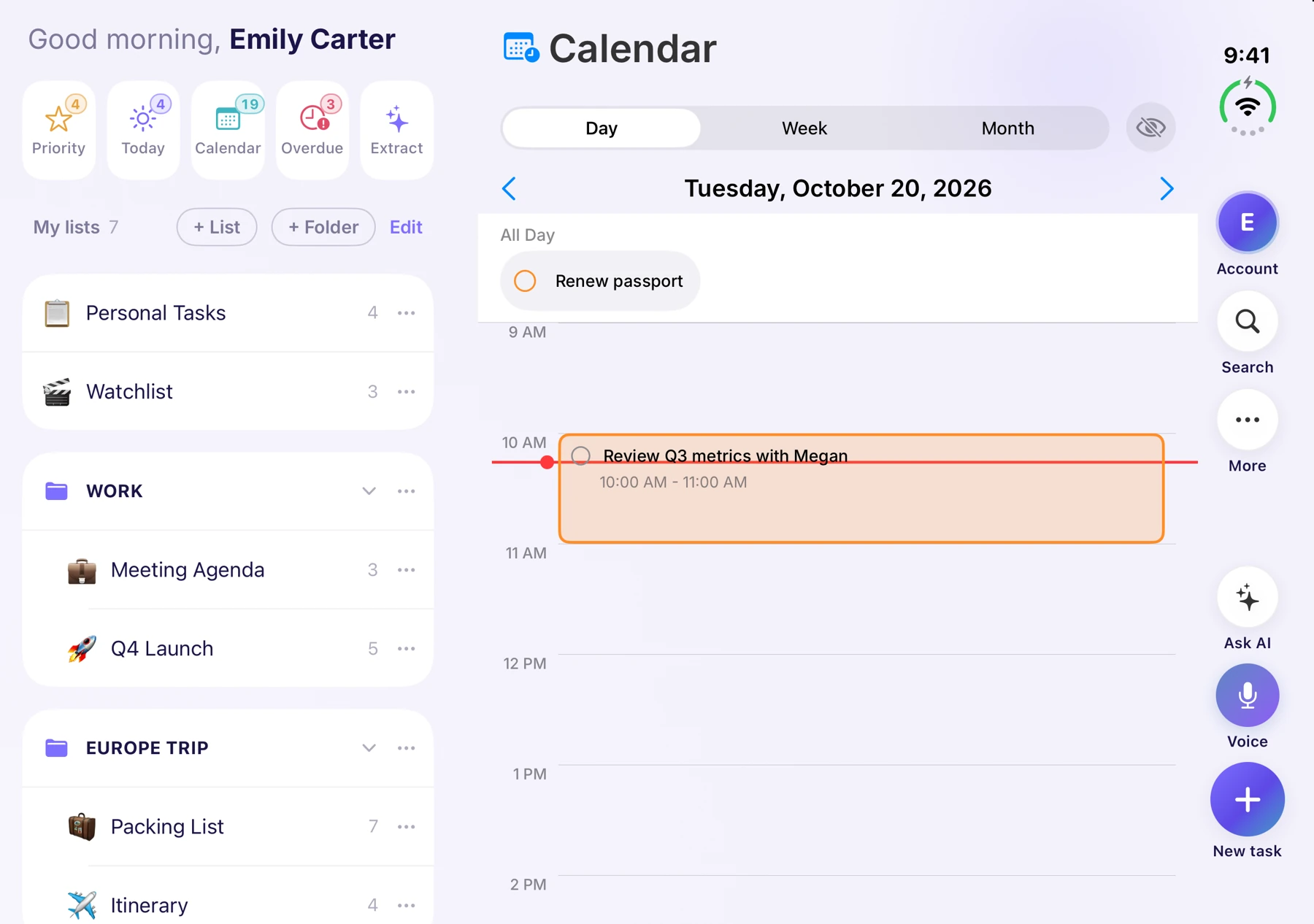
Layouts depend on display size, orientation, and the installed app version. Sign in to the same account to sync with Ango Tasks on the web.
Look for an interface that uses the open display meaningfully: lists beside tasks, accessible details, and controls that stay within reach. Check how it behaves when folded, rotated, and partly open—not just on the largest screen.
Yes. The iOS app includes an adaptive Duo workspace with side-by-side lists and tasks, a task details panel, and a dedicated action bar. The layout adjusts to the available display.
The adaptive workspace is designed to preserve your place as you move between expanded and focused layouts.
No. Use the same Ango Tasks account to sync your lists and tasks across your signed-in devices. Free and Premium plans are explained on the pricing page.

Download for iPhone and iPhone Duo, or use the web app.
Free includes 6 lists and 20 AI requests per day.