A long feature list can make almost any task manager sound right. The better question is whether it helps you capture a thought, find your next step, and follow through without adding more work. Here are seven things to try before choosing your next to-do app.
1. Task Entry: Text, Voice, Photos & AI
Try a task that comes to mind while you’re busy. Can you type it quickly, say it aloud, or bring it in from a note or photo? A task app earns its place when capturing a thought feels easier than leaving it in your head.
In Ango Tasks, natural language input helps with dates and repeats. Smart Extract turns text, photos, and voice into suggested tasks you can review. If you prefer a conversation, Ask AI can help you create and find tasks.
2. Today, Priority & Overdue Views
Add a few tasks across different lists, give some due dates, and mark one as important. Then look at the app’s daily view. You should be able to understand what needs attention without opening every project.
Ango Tasks separates Today, Priority, and Overdue so you can approach each with a different question: what’s due, what matters, and what needs a new plan.
3. Subtasks, Notes & Attachments
A task might need a checklist, a reference image, or a note from a meeting. Look for a way to keep that context attached to the task. Then check whether the main list still feels easy to scan.
Ango Tasks supports subtasks, notes, attachments, voice notes, and reminders. Lists can sit inside folders, while tags and search help you find things again.
4. iPhone Widgets, Siri & Location Reminders
The best task app for iPhone should fit the moments when you use your phone. Try adding a home screen widget. Check whether voice capture or Siri fits your routine. Think about whether a reminder at a place would help more than a reminder at a time.
Ango Tasks includes widgets, Siri and Shortcuts support, Apple Reminders import, and optional location reminders in the iOS app. Explore the iPhone experience to see how those features fit together.
5. Adaptive iPhone Duo Layouts
A bigger display should offer more context. Open the phone, rotate it, open a task, and fold it again. Check whether the layout uses the space and whether you keep your place as you move.
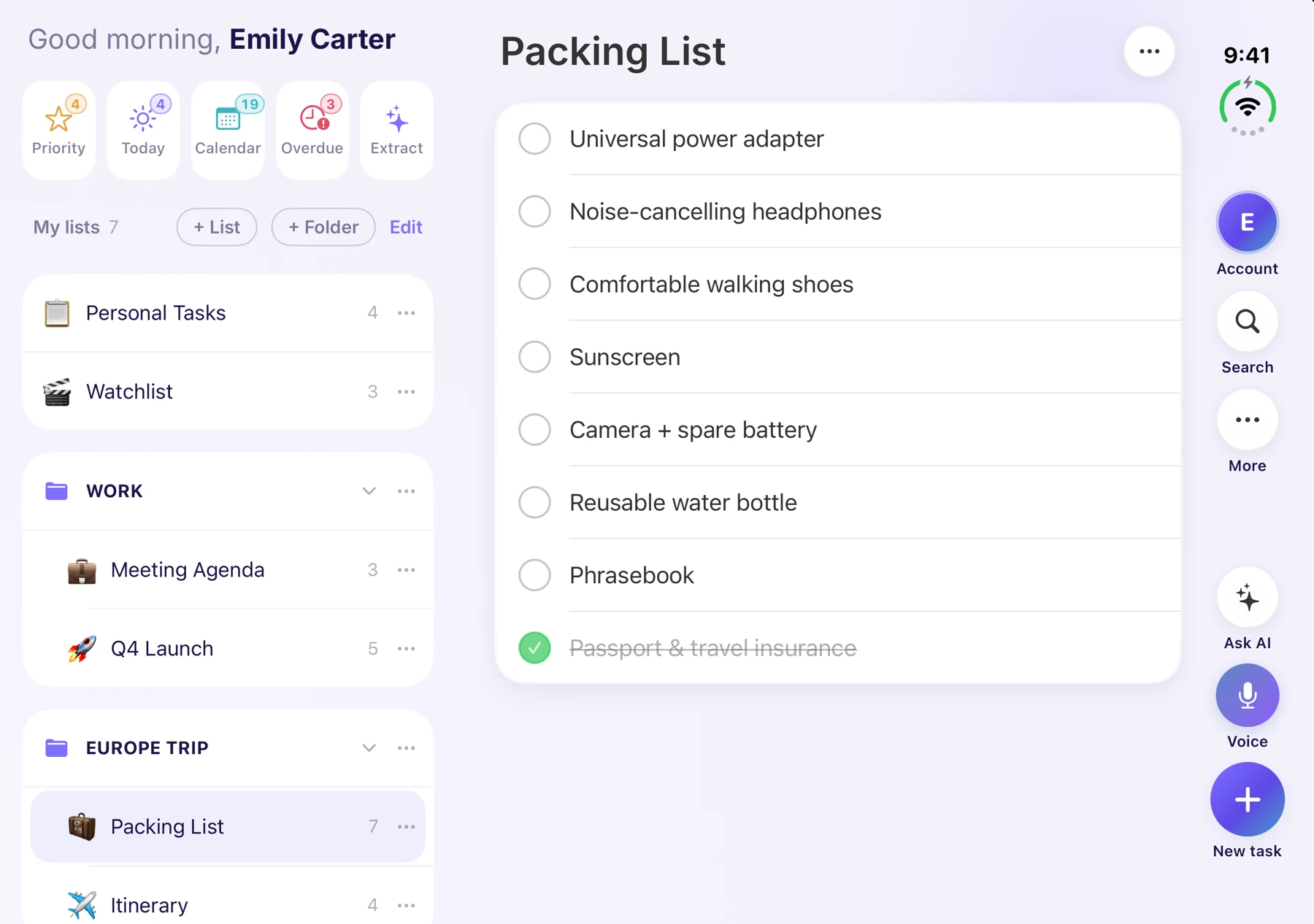
The Ango Tasks iPhone Duo workspace can put lists beside tasks and task details beside the list. Its action bar brings search, Ask AI, voice capture, and new tasks within reach.
6. Web App & Device Sync
Create a task on your phone, then open the app on your computer. Look at how easy it is to find and edit the same task. If you often work with other people, test a shared list too.
Ango Tasks syncs across signed-in devices and has a web app with lists, calendar views, sharing, and AI features. Native iOS features and desktop features differ, so choose around the tools you’ll use most often.
7. Free Plan Limits & Premium Pricing
Check limits before moving your routine. Look at how many lists you can create, whether AI has a usage allowance, and what needs a subscription. A clear trial of your real workflow tells you more than a polished feature comparison.
Ango Tasks Free includes six lists, unlimited tasks per list, and 20 AI requests per day. Premium includes up to 500 lists, 200 AI requests per day, Google Calendar sync, and supported AI assistant connections. See plans and pricing for the current details.
Checklist for Testing a To-Do App
- Create a list for something you’re actually working on.
- Add three tasks: one due today, one recurring, and one with subtasks.
- Find today’s task without opening the list.
- Add a reminder and open the same task on another device.
- Decide whether you want to come back tomorrow.
That last step matters. The best to-do app is one you can comfortably make part of your day.
This guide is published by the team behind Ango Tasks and describes our product. It is a practical selection checklist, not an independent ranking of competing apps.
