AI Task Creation
Type a task in natural language, capture your voice, or bring in a photo. Smart Extract finds tasks in your input so you can review them before adding them. Ask AI can help you create, find, or reschedule tasks.
An AI to-do app for iPhone that brings your tasks, calendar, reminders, and ideas into one thoughtful place.
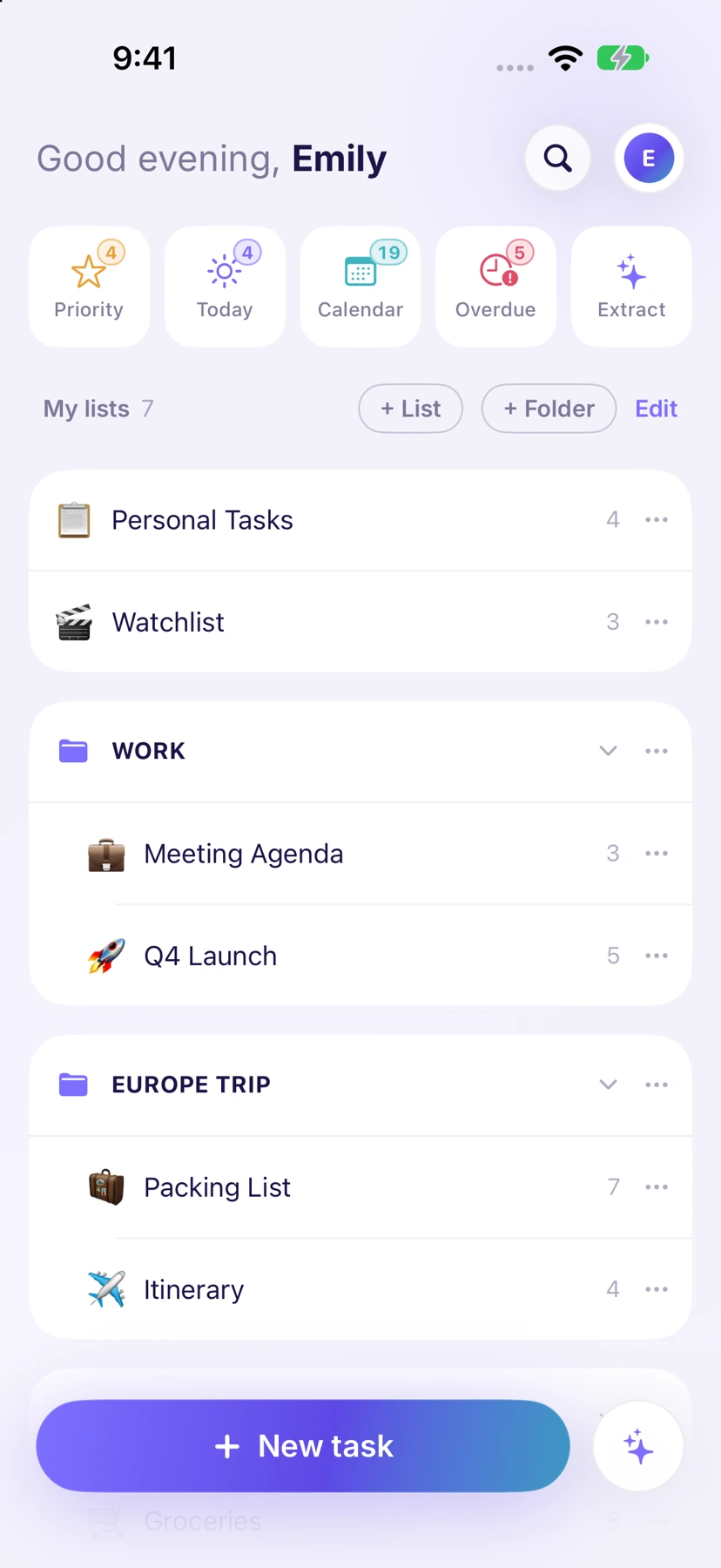
There’s the thing you need to do at work. The thing you promised to pick up. And the idea that arrives halfway through something else. A useful iPhone task app gives each one somewhere to go.
Ango Tasks starts with lists and folders, then brings the right tasks into Today, Priority, and Overdue. You can plan in the calendar, keep details with the task, and get back to what you were doing.
Set up your first listQuick to capture. Easy to find.
Ready when you need it.
Type a task in natural language, capture your voice, or bring in a photo. Smart Extract finds tasks in your input so you can review them before adding them. Ask AI can help you create, find, or reschedule tasks.
Link a saved place to a list and get a reminder when you arrive. A grocery list can be useful at home and even more useful at the store. Location reminders are optional and require permission.
Add home screen widgets, use Siri and Shortcuts, or import lists from Apple Reminders. These native iOS tools make it easier to fit task management into a routine you already have.
Switch between day, week, and month calendar views. Add due dates and reminders, connect Google Calendar with Premium, and break a larger task into subtasks. When you’re ready to work, Focus mode presents a full-screen checklist with your completion progress.
A useful to-do list doesn’t need to hold every detail in its title. Notes, attachments, and voice notes keep the supporting context with the work.
Sign in to the same account on the Ango Tasks web app to pick up your lists in a browser.
Bring family or teammates into a list for a shopping trip, a household project, or the work you’re doing together.
Using iPhone Duo? Explore the adaptive Duo workspace, with space for lists and task details together.
Start with how you capture tasks, how you see what matters today, and how the app reminds you. Native features such as widgets, Siri, location reminders, and a comfortable iPhone interface can make a difference. Our to-do app buying guide gives you a practical checklist.
Yes. The Free plan includes up to six lists, unlimited tasks per list, and 20 AI requests per day. Premium expands the list and AI allowances and adds Google Calendar sync and supported AI assistant connections. See current plans and pricing.
Ango Tasks includes Apple Reminders import in the iOS app. Open the import options in Settings and review what you want to bring across.
Yes. Sign in to the same account at app.angotasks.com to use your lists, tasks, calendar, and AI features on the web.

Download for iPhone and iPhone Duo, or use the web app.
Free includes 6 lists and 20 AI requests per day.